Clean Audio: Essential Techniques for Recording
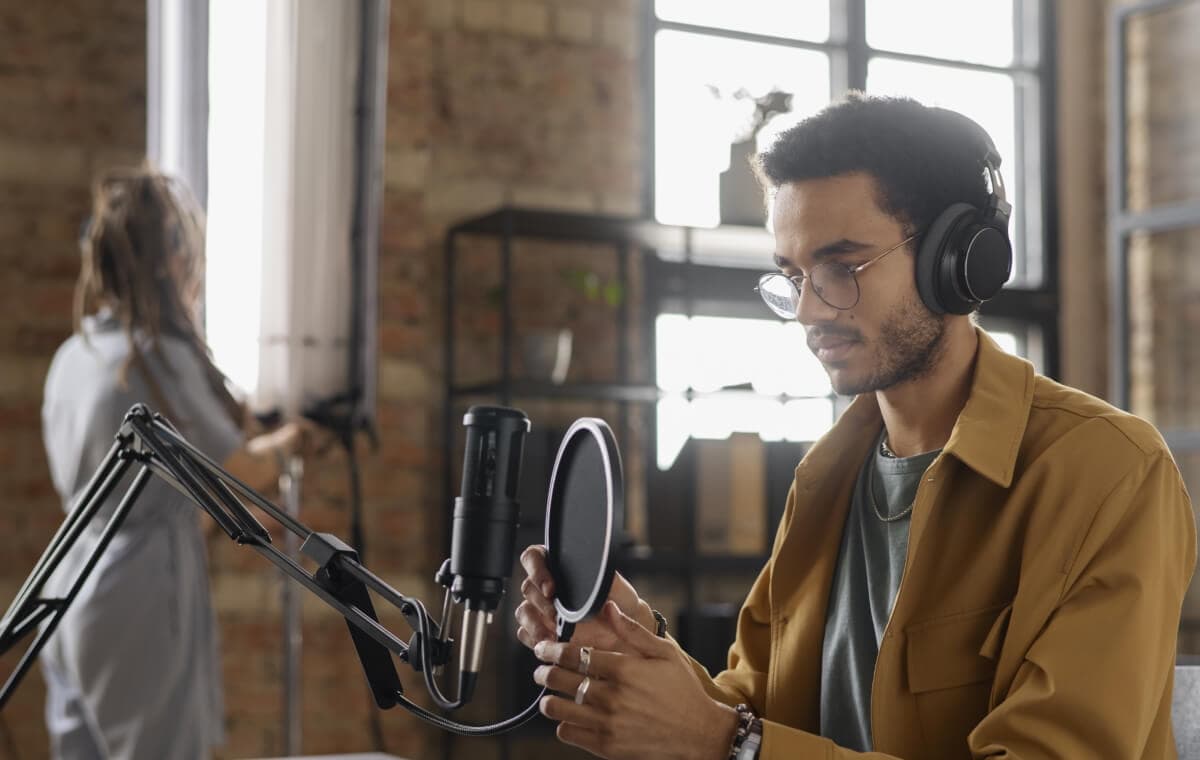
In the world of audio production, clean audio is king. Think of it as the unsung hero of any successful project—whether you’re working on a film, podcast, or any other audio-centric endeavor. Poor audio quality can distract, annoy, and even cause your audience to disengage entirely. But when done right, clean audio seamlessly blends into the background, allowing your message, story, or music to shine. In this comprehensive guide, we’ll explore the crucial techniques you need to ensure your recordings are as pristine as possible, focusing on dialogue, ambient sounds, and sound effects.
Understanding the Importance of Clean Audio in Post-Production
Why Clean Audio is Critical for Professional Quality
Imagine this: you’ve captured the perfect shot, the lighting is just right, the actors are on point—but the audio is a mess. A car honks in the background, the dialogue is muffled, and now you’re faced with the daunting task of trying to fix it in post-production. Clean audio isn’t just a nice-to-have; it’s a must-have. It’s the difference between a polished, professional production and one that screams amateur. Poorly recorded audio not only eats up time in post-production but also can never truly be fixed, no matter how many filters or effects you apply.
Common Challenges in Achieving Clean Audio
Recording clean audio is like walking a tightrope. On one side, you have ambient noise, and on the other, technical issues like plosives and clipping. One misstep, and your audio falls into the abyss of bad sound. Common challenges include unpredictable environmental sounds, mic placement issues, and varying vocal dynamics. But don’t worry we’ll guide you through how to tackle these challenges head-on.
Preparing for a Successful Audio Recording Session
Selecting the Right Equipment
Your equipment is the foundation of your audio recording. Just like a chef needs sharp knives, you need the right tools to capture clean audio.
- Microphones: Choosing the Best Type for Your Needs
Microphones are like the paintbrushes of the audio world. For capturing clean dialogue, a condenser microphone is often your best bet due to its sensitivity and ability to pick up subtle nuances in the voice. But sensitivity can be a double-edged sword it also means it picks up more background noise, so you’ll need to be mindful of your environment. For ambient sounds, a shotgun microphone is ideal, thanks to its narrow pickup pattern, which focuses on the sound in front of it while rejecting noise from the sides and rear. - Audio Interfaces and Recorders: Ensuring High-Quality Capture
Your microphone is only as good as the device capturing its output. An audio interface or portable recorder is crucial for converting the analog signals from your mic into digital ones that your computer can process. Look for interfaces with high bit rates (24-bit is standard for professional audio) and sampling rates (48kHz or higher) to ensure you’re capturing all the detail in your recordings.
Setting Up Your Recording Environment
Your environment plays a huge role in the quality of your recordings. Even the best microphone can’t overcome the challenges of a noisy or echo-filled room.
- Minimizing Background Noise
Have you ever tried recording in what you thought was a quiet room, only to hear the hum of the air conditioner or the distant rumble of traffic on playback? Background noise can sneak into your recordings, often in ways you don’t notice until it’s too late. To minimize this, choose your recording location carefully. Opt for rooms with thick walls, and consider using soundproofing materials like foam panels, heavy curtains, or even DIY options like moving blankets to absorb unwanted noise. - Controlling Room Acoustics
Room acoustics are often overlooked, but they’re critical for achieving clean audio. Sound waves bounce off walls, ceilings, and floors, creating reflections that can muddy your recordings. To combat this, use bass traps in the corners of your room to absorb low frequencies and diffusers to break up sound reflections. The goal is to create a neutral acoustic environment where your microphone picks up only what you want it to no echoes, no reverb, just pure, clean sound.
Techniques for Recording Clean Dialogue
Positioning the Microphone for Optimal Voice Capture
Mic placement is everything when it comes to recording clean dialogue. Too close, and you risk capturing unwanted mouth noises; too far, and the audio might sound thin or distant. A good rule of thumb is to position the mic about 6 to 12 inches from the speaker’s mouth, slightly off-axis. This angle reduces plosives and sibilance without sacrificing clarity. It’s like finding the sweet spot between being too forward and too shy just right in the middle.
Monitoring Audio Levels in Real-Time
Picture this: You’re in the middle of a fantastic take, and then you glance over to see your audio levels are peaking into the red. Distortion is now baked into the recording, and you can’t just “fix it in post.” To avoid this, always monitor your audio levels in real-time using headphones and visual meters. Aim for levels that peak between -12dB and -6dB. This range gives you a buffer to avoid clipping while maintaining a strong signal.
Tips for Reducing Plosives and Sibilance
- Using Pop Filters and Windscreens
Plosives those harsh bursts of air from letters like “P” and “B”—can wreak havoc on your recordings. The solution? A pop filter. This simple tool is a lifesaver, diffusing the air before it hits the microphone and significantly reducing the risk of plosives. For outdoor recordings, or in situations with a lot of wind, a windscreen is your best friend. It helps minimize wind noise while still allowing your voice to come through clearly. - Vocal Techniques to Avoid Harsh Sounds
Sometimes, the talent’s technique can make or break a recording. Teach your speakers to aim their breath slightly off to the side of the mic, rather than directly into it. Encourage them to maintain a relaxed jaw and to soften their consonants, which can reduce the harshness of sibilant sounds. These small adjustments can lead to a big improvement in the clarity and quality of your recordings.
Capturing Ambient Sounds Without Interference
Understanding the Role of Ambient Sound in Storytelling
Ambient sound is the subtle backdrop that makes a scene feel real and immersive. Imagine a bustling street without the distant hum of traffic or a serene forest without the rustle of leaves it just wouldn’t feel complete. But capturing these sounds cleanly requires a delicate balance. You want to capture enough to create atmosphere, but not so much that it overwhelms the dialogue or other important audio elements.
Techniques for Isolating Desired Ambient Sounds
- Directional Microphones for Focused Capture
To capture specific ambient sounds, a directional microphone is essential. These mics, such as shotgun microphones, pick up sound primarily from the direction they’re pointed, which allows you to focus on the sound you want and reject the rest. For example, if you’re recording the sound of birds in a park, a directional mic can help you zero in on their calls while minimizing other background noises like traffic or people talking. - Using Sound Blankets and Shields to Block Unwanted Noise
When you’re out in the field, controlling your environment can be challenging. That’s where sound blankets and portable shields come in handy. Draping a sound blanket over unwanted noise sources or setting up a shield around your microphone can help isolate the sounds you want to capture. Think of it as creating a mini recording studio, wherever you are.
Layering Ambient Sounds in Post-Production
Once you’ve captured your ambient sounds, the magic really happens in post-production. Layering different ambient tracks can create a rich soundscape that adds depth and realism to your project. For example, you might layer the sound of wind rustling through trees with distant bird calls and the occasional crackle of leaves underfoot to create a truly immersive forest environment. The key is to balance these elements so they enhance, rather than overpower, the main audio.
Effective Techniques for Recording Sound Effects
Foley Recording: Bringing Scenes to Life
Foley artists are the unsung heroes of sound design. They create the everyday sounds that we often take for granted like footsteps, rustling clothing, or the creak of a door. But getting these sounds right requires creativity and precision.
- Selecting Materials for Authentic Sound
The best Foley artists know that the secret to great sound effects lies in attention to detail. For instance, if you’re trying to recreate the sound of a horse galloping, you might use a pair of coconut shells. Need the sound of crunching snow? Cornstarch in a leather pouch can do the trick. Experiment with different materials and surfaces to find the most authentic sounds. - Timing and Synchronization Tips
Synchronizing Foley sounds with on-screen action is both an art and a science. It requires practice and a good eye (and ear) for detail. Use a video monitor as a reference while recording to ensure your sounds match the visuals perfectly. Timing is everything too early or too late, and the effect is ruined.
Capturing Natural Sound Effects on Location
Sometimes, the best sound effects are the ones captured in their natural environment. Recording on location can add authenticity and richness to your audio.
- Best Practices for Field Recording
When you’re out in the field, preparation is key. Scout your location beforehand to identify the best spots to record. Use a portable recorder with a good microphone to capture high-quality sounds, and always carry extra batteries and storage. Consider using a blimp or windscreen to protect your microphone from wind noise, and don’t forget to monitor your audio levels to avoid clipping. - Editing and Enhancing Sound Effects in Post-Production
Even the best-recorded sound effects can benefit from a little post-production magic. Use EQ and reverb to enhance and shape your effects, making them fit perfectly into your mix. For example, adding a touch of reverb to the sound of footsteps can make them feel more like they’re in a large, empty hall rather than a small room.
Post-Production Tips for Ensuring Clean Audio
Editing Techniques to Remove Background Noise
No matter how careful you are during recording, some background noise is inevitable. Luckily, modern software tools like noise gates and spectral editors can help you clean up your audio by removing unwanted sounds without affecting the quality of the main audio. Noise gates work by cutting off sound below a certain threshold, effectively silencing quiet background noise during pauses in the main audio. Spectral editors allow for more precise control, letting you visually identify and remove unwanted noise.
Using Equalization and Compression for Clarity
Equalization (EQ) and compression are powerful tools in post-production that can make a world of difference in the clarity of your audio. EQ allows you to adjust the balance of frequencies in your audio, making dialogue clearer or enhancing certain aspects of a sound effect. For example, you can use EQ to reduce low-frequency rumble or to bring out the crispness in a voice. Compression evens out the dynamic range, ensuring that the audio is consistently loud enough without peaking. This process is especially important for dialogue, where you want every word to be heard clearly.
The Importance of Audio Mixing and Mastering
Mixing and mastering are the final steps in ensuring your audio is as clean and professional as possible. Mixing involves balancing the levels of different audio tracks, adding effects, and ensuring everything sounds cohesive. It’s like cooking a dish you need the right balance of ingredients to make it taste just right. Mastering, on the other hand, is the final polish, optimizing your audio for playback on various devices and platforms. It’s the difference between a rough draft and a finished product.
Achieving Professional Clean Audio for Your Projects
Recording clean audio is both an art and a science. It requires careful preparation, the right equipment, and a solid understanding of the techniques involved. But the results are worth it. Clean audio sets the stage for a professional-quality production, allowing your story, message, or music to truly shine. So, next time you hit the record button, remember: clean audio isn’t just about what you capture it’s about how you capture it. With the right approach, you can ensure your dialogue, ambient sounds, and effects are captured with pristine clarity, every time.